# Introduction
The Introduction provides an overview of the Camtraptions PIR Sensor v4 — explaining how passive infrared detection works, what’s new in this version, and how the sensor integrates into a camera-trap setup. It offers essential background for understanding the purpose and advantages of the PIR v4 system.
# What is a PIR Motion Sensor?
All objects emit invisible infrared radiation. A **Passive Infrared (PIR)** sensor detects changes in infrared energy within its field of view—such as when a warm-bodied animal passes in front.
The term **“passive”** refers to the fact that the sensor does not emit any radiation itself—it simply monitors the infrared radiation naturally emitted by objects in its surroundings. This makes PIR sensors extremely energy-efficient and reliable for long-term use in the field.
In a camera-trap setup, the PIR sensor’s role is to **detect an animal’s presence and automatically trigger the connected photographic equipment**, such as a DSLR or mirrorless camera. This enables the capture of high-quality photographs and video footage of wildlife with minimal human disturbance.
# What is New in Version 4?
Version 4 of the **Camtraptions Passive Infrared (PIR) Motion Sensor** represents a significant upgrade over previous models, introducing enhanced flexibility, usability, and performance. The following are the key new features and improvements:
#### **Dual-Sensor System**
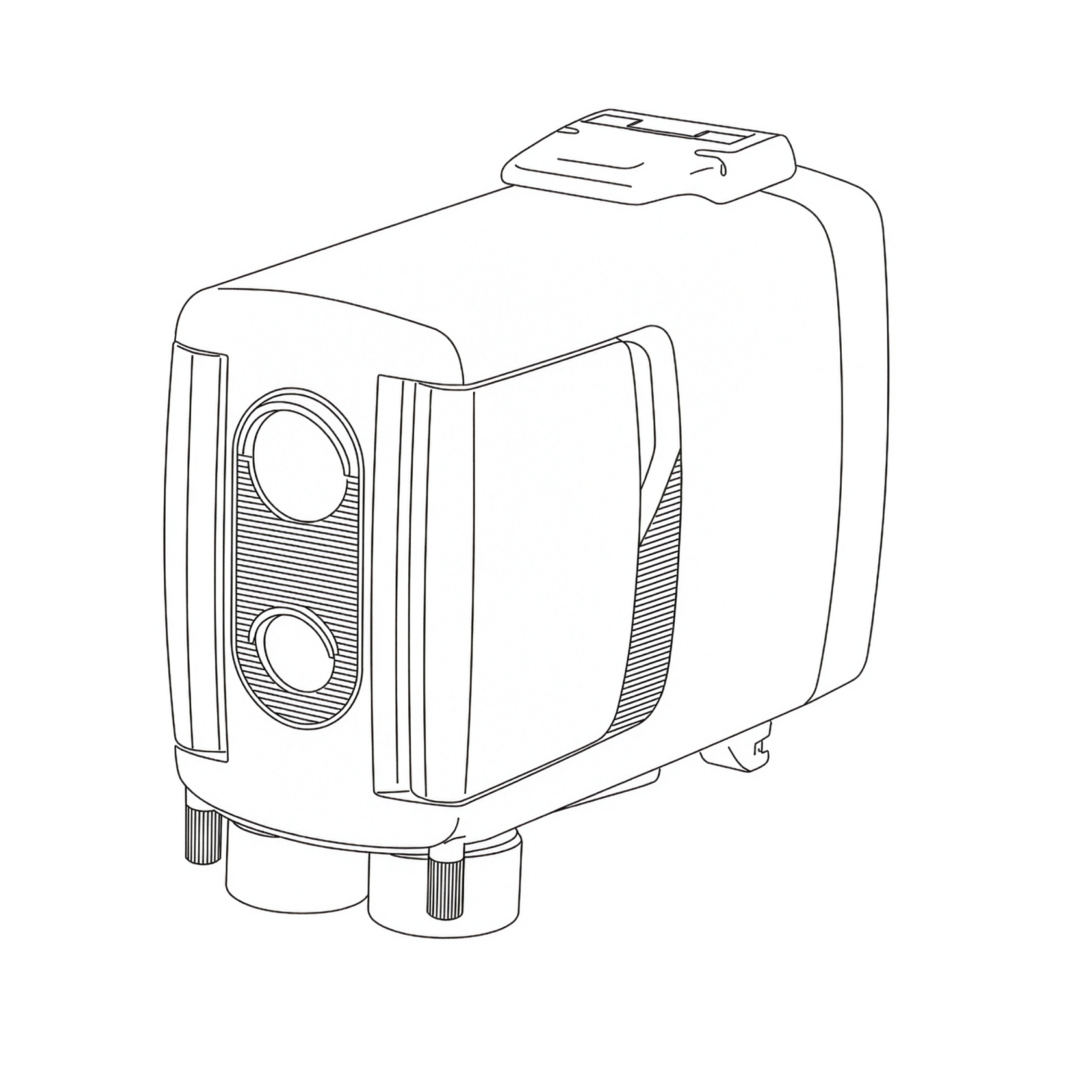
Version 4 features **dual PIR sensors**—two independent detectors offering maximum flexibility.:
- **Long-range sensor** – Equipped with a narrow, high-focal-length lens for detecting animals at greater distances within a precise, narrow field of view. This allows extremely fine control over the trigger zone, ideal for carefully framed shots.
- **Wide-angle sensor** – Designed with a broader field of view for detecting animals earlier as they approach the sensor. While its range is shorter and its trigger zone less precise, this sensor is ideal for video and for open environments where animal positioning in the frame is less critical.
Each sensor can be **controlled independently**. Users can adjust their relative sensitivities, enable or disable either sensor, or assign different functions—such as using the wide sensor to **wake connected camera equipment** and the far sensor to **trigger it**.
#### **New User Interface**
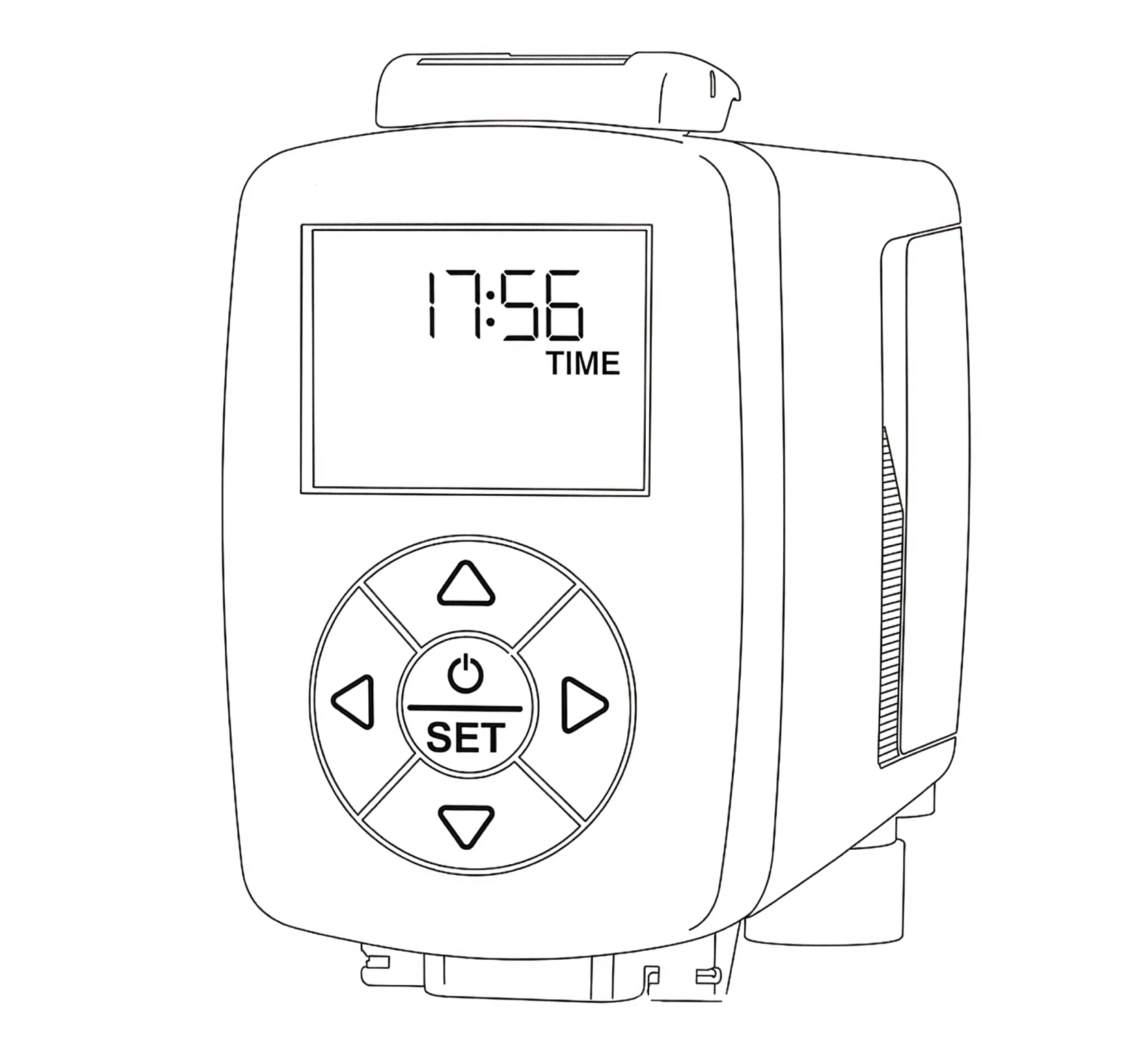
A built-in **display screen and button pad** provide an intuitive, menu-driven setup process. Users can easily configure parameters such as:
- Number of photos per detection and frame rate
- Length of video recordings
- Wireless channel
- Sensitivity levels
- Operating hours and many other settings
This marks a major step forward in ease of use compared with previous generations.
#### **Clock Integration**
The new **clock** allows precise scheduling of the sensor’s active hours. Users can define a specific time window—down to the minute—when the sensor should operate, offering greater control and efficiency in the field.
#### **Improved Battery System**
Version 4 introduces support for **NP-F lithium-ion batteries**, which are widely used in photographic equipment and easy to source. With the largest NPF batteries, the standby of the sensor time equals or exceeds the previous model.
A **6xAA to NP-F battery adapter** (purchased separately) allows the sensor to be powered by six AA batteries as an alternative. Batteries are easily and quickly swapped by opening the rear compartment and sliding them in or out.
The battery voltage can be checked quickly from the [home screen](https://docs.camtraptions.com/books/pir-v4-manual/page/the-home-screen "Home screen").
#### **Firmware Upgradability**
Version 4 now supports **firmware updates via microSD card**, enabling users to easily install future software improvements and feature enhancements without returning the unit for servicing.
#### **Enhanced Connectivity and Durability**
Version 4 remains compatible with both **wired and wireless triggering methods**, giving users the flexibility to connect their cameras and flashes using cables or **Camtraptions Wireless Receivers**. The sensor works seamlessly with existing **wireless channels and accessories**, ensuring full backward compatibility with previous systems.
Several other refinements further improve robustness and versatility:
- Improved **weather sealing** and an integrated **silica gel** cavity provide enhanced protection against moisture and humidity in challenging environments.
- Optional **external power input** for long-term installations
- New **signal output and power input connectors** compatible with existing cables, while also supporting an upgraded **screw-lock waterproof cable system** for a more secure connection
- Dual **tripod mounting points** on the base for added stability, especially when used with **Camtraptions Jungle Mounts**, allowing two screws to lock the sensor’s orientation securely
# Overview of the Sensor
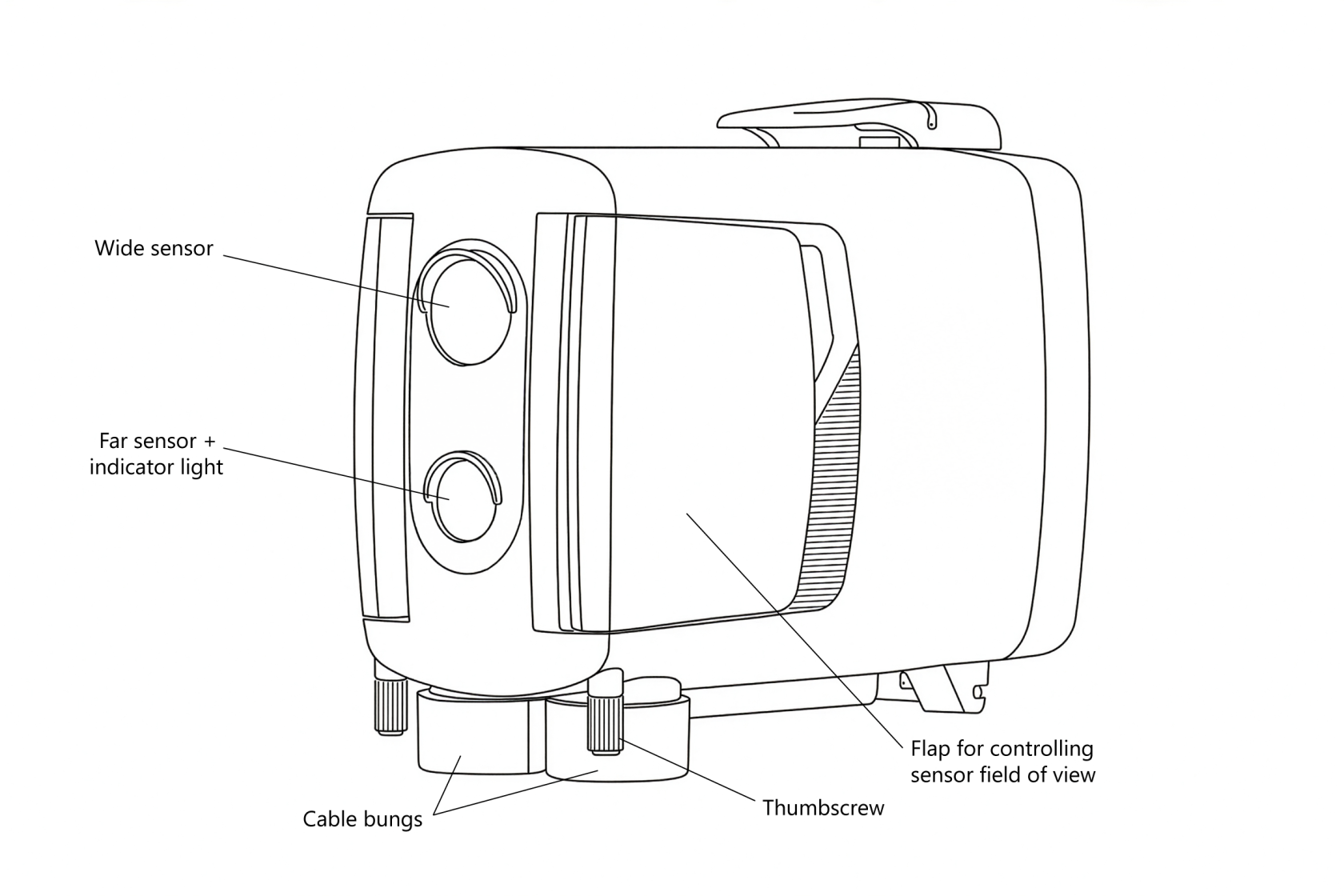
The Camtraptions PIR Sensor v4 features a thoughtfully designed layout that balances functionality, durability, and ease of use. On the **front**, there are **two motion sensors**—one equipped with a **built-in indicator light** that is enabled during setup to show when motion is detected.
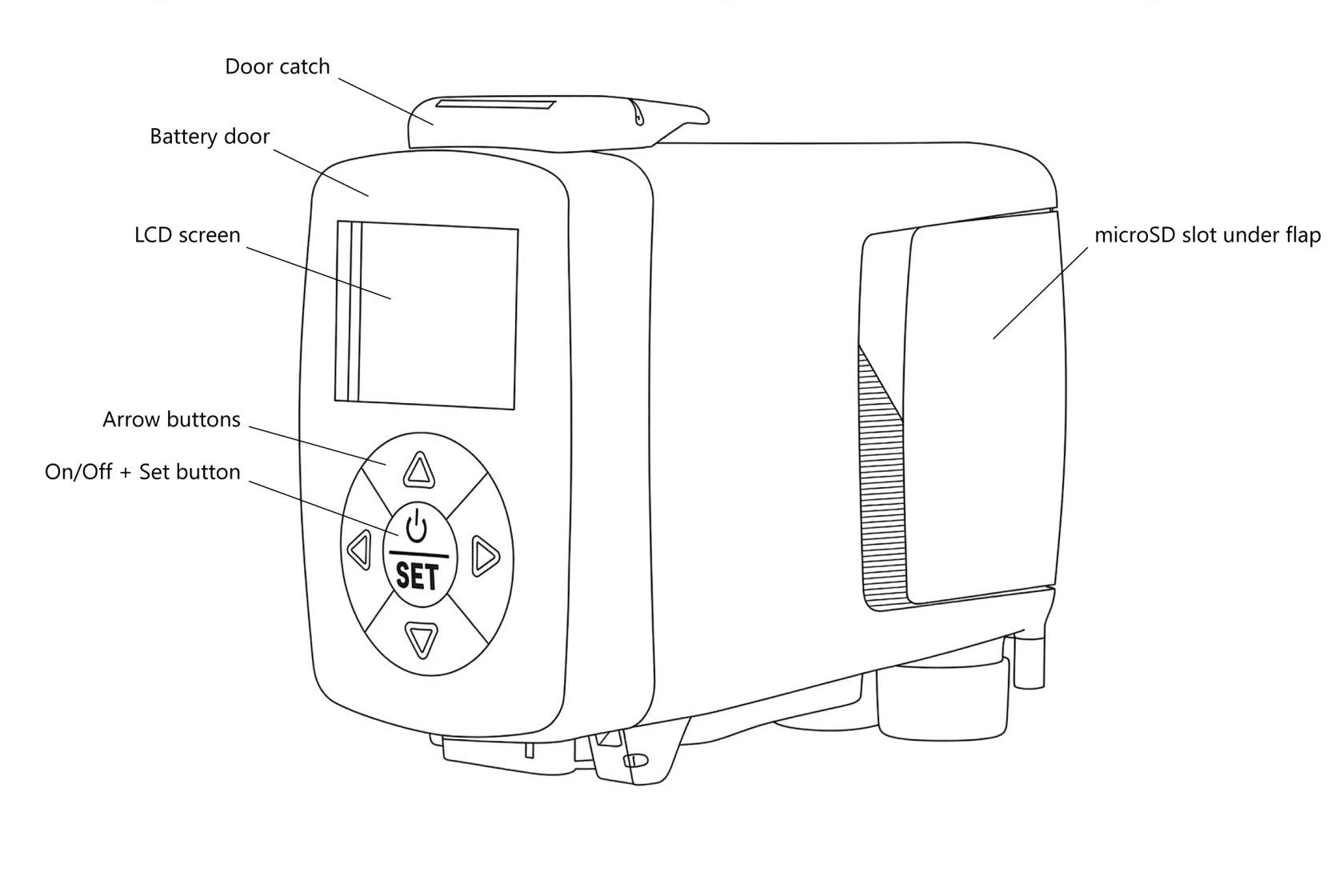
On the **back**, you’ll find the **display screen and keypad**, which includes the **power (on/off) button**. The **rear side** is also the **battery door**, which can be opened using the **catch on the top** to access the internal battery compartment.
The **underside** of the unit includes **dual tripod mounting sockets** for secure installation, as well as the **wired output socket** and **DC power input**, both protected by **weather-sealed rubber cable bungs**.
On the **sides** of the sensor are **adjustable flaps** that can be used to limit or refine the field of view of the sensors for more precise control. Beneath the **right-hand flap** is a small **bung** that covers the **microSD card slot**, which is used for firmware updates.
The information in this manual corresponds to firmware version {{@0tag:Firmware Version}}. You can check the firmware version, and update it if necessary, by following the procedures on the [firmware update](https://docs.camtraptions.com/books/pir-v4-manual/page/firmware-update "Firmware Update") page.