# Overview of the Sensor
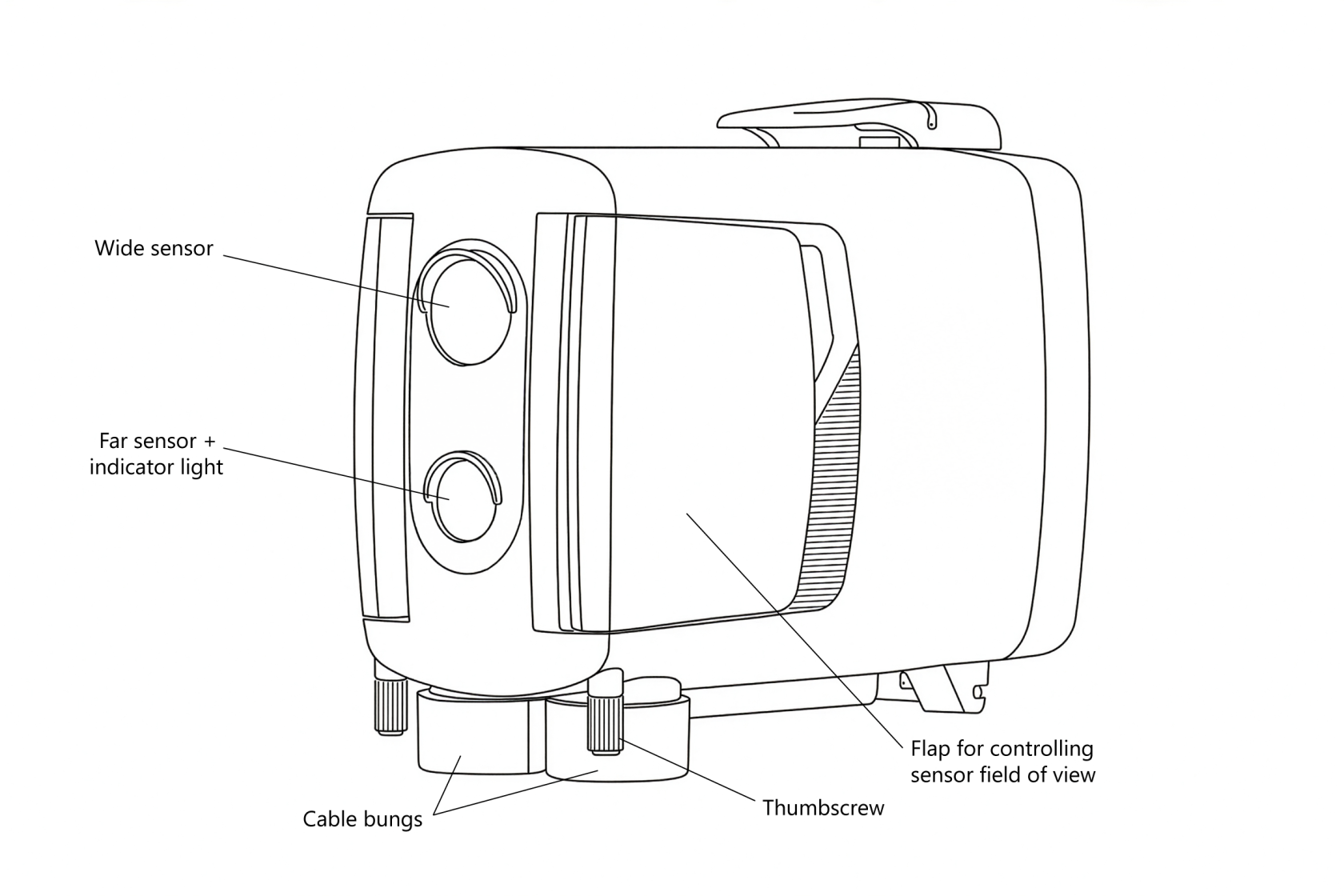
The Camtraptions PIR Sensor v4 features a thoughtfully designed layout that balances functionality, durability, and ease of use. On the **front**, there are **two motion sensors**—one equipped with a **built-in indicator light** that is enabled during setup to show when motion is detected.
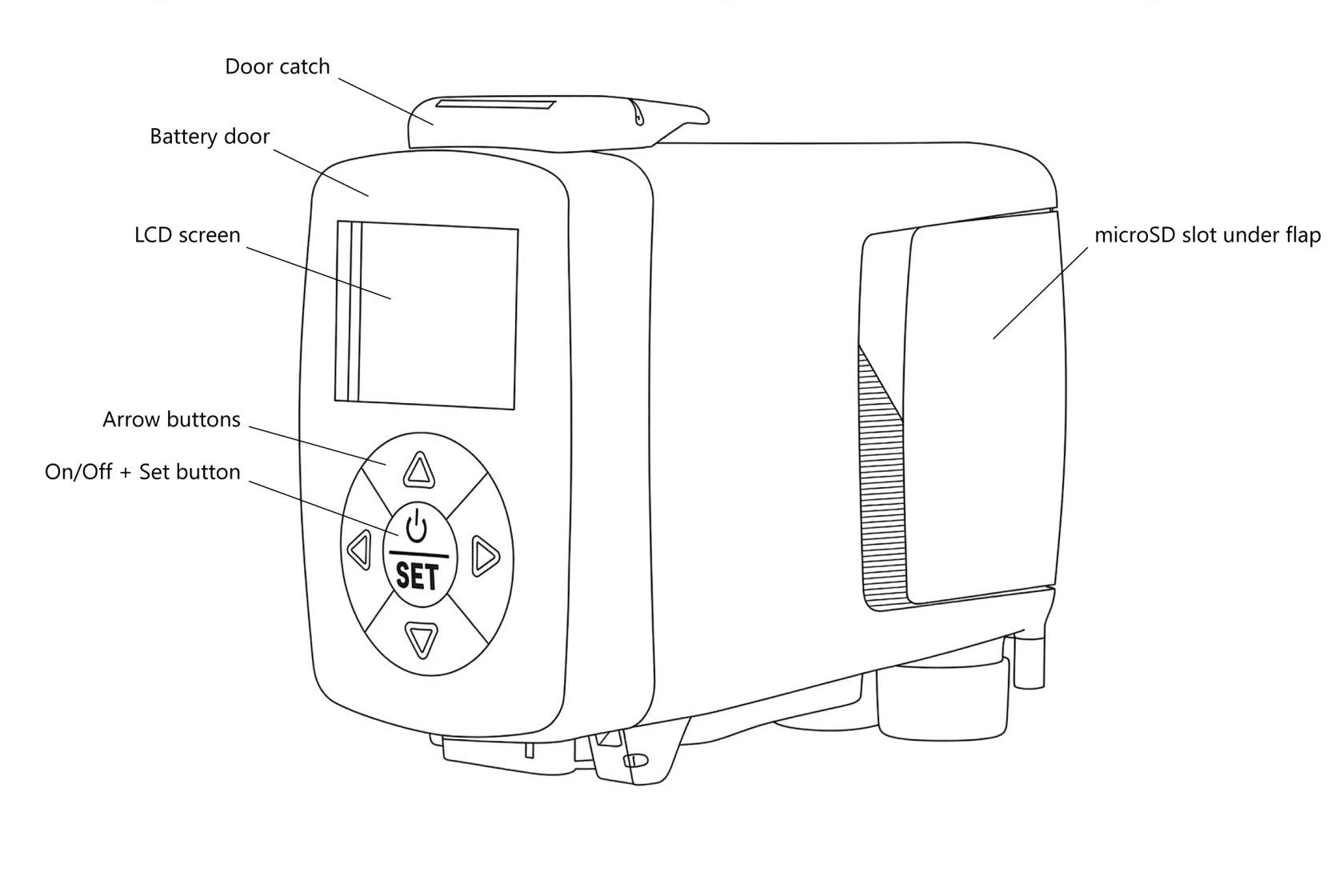
On the **back**, you’ll find the **display screen and keypad**, which includes the **power (on/off) button**. The **rear side** is also the **battery door**, which can be opened using the **catch on the top** to access the internal battery compartment.
The **underside** of the unit includes **dual tripod mounting sockets** for secure installation, as well as the **wired output socket** and **DC power input**, both protected by **weather-sealed rubber cable bungs**.
On the **sides** of the sensor are **adjustable flaps** that can be used to limit or refine the field of view of the sensors for more precise control. Beneath the **right-hand flap** is a small **bung** that covers the **microSD card slot**, which is used for firmware updates.
The information in this manual corresponds to firmware version {{@0tag:Firmware Version}}. You can check the firmware version, and update it if necessary, by following the procedures on the [firmware update](https://docs.camtraptions.com/books/pir-v4-manual/page/firmware-update "Firmware Update") page.