# Set Off Time
The **Window Off Time** setting defines the time of day when the sensor becomes **inactive**, marking the end of the period during which motion detection and triggering are enabled.
This setting works together with the **Window On Time** to establish the daily operating period for the sensor. For example, if you want the sensor to operate **only at night**, you might set the *Window On Time* to **18:00 (6:00 p.m.)** and the *Window Off Time* to **06:00 (6:00 a.m.)**.
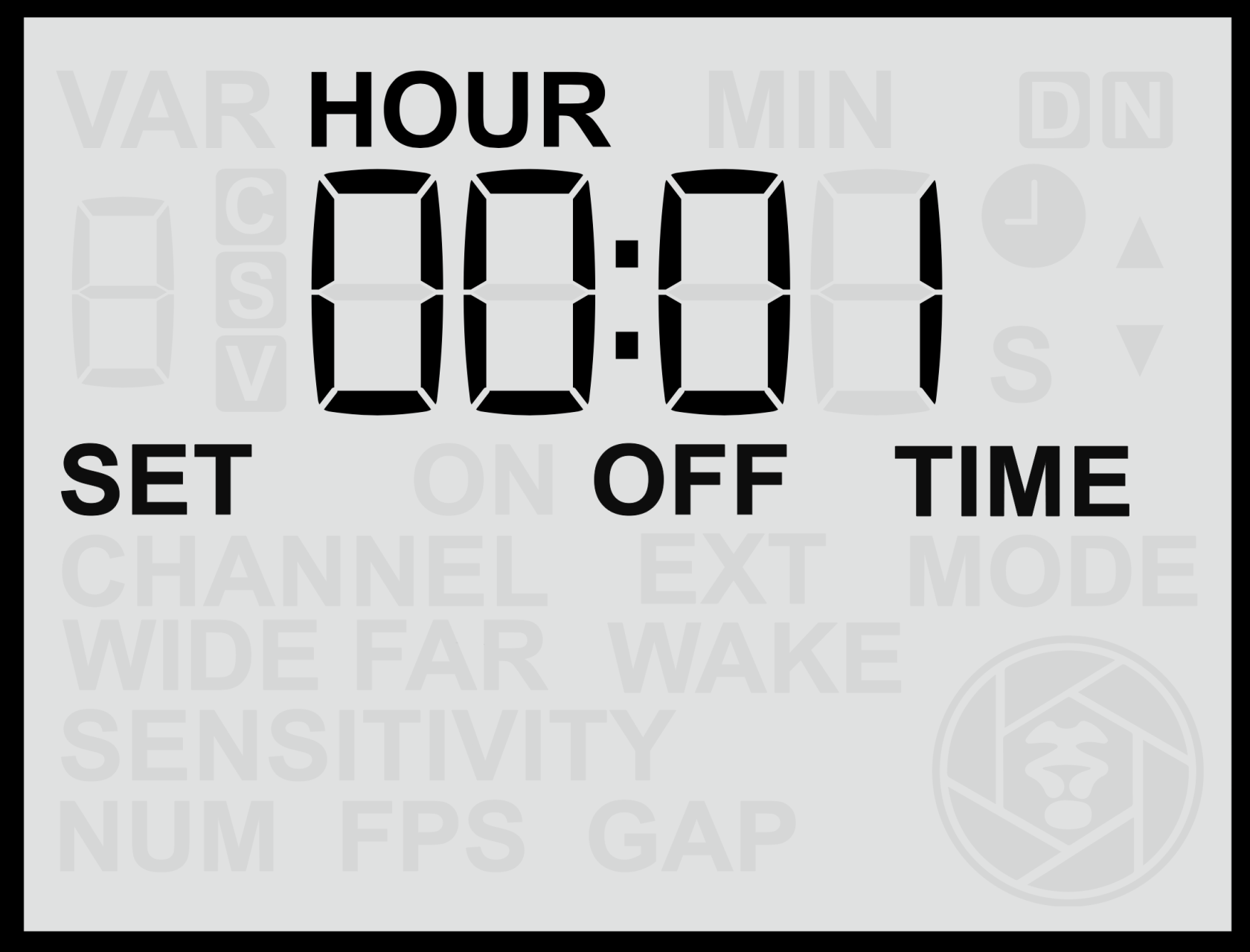
#### **Setting the Window Off Time**
1. From the **Home Screen**, press the **Right Arrow** until you reach the **Window Off Time** screen.
2. Use the **Up** or **Down** buttons to adjust the **hour** value.
3. Press the **Set** button to confirm the hour.
4. The **minute** value will then begin flashing — use the **Up** or **Down** buttons to adjust it.
5. Press **Set** again to save the time.
The time is entered in **24-hour format** (00:00 to 23:59).
#### **Notes**
- Ensure the **Time Windows** feature is **enabled** for this setting to take effect.
- The **sensor will remain inactive** outside the defined time window.
- If the Off Time is set to the same value as the On Time, the sensor will remain active at all times.
- For reliable operation, confirm that the **sensor clock** is set correctly before defining time windows (see [**Set Clock Time**](https://docs.camtraptions.com/books/pir-v4-manual/page/set-clock-time "Set Clock Time") section).