The cable will also begin a recording if the camera is woken from sleep via any other button presses on the camera itself (for example, the menu button or image playback button). To avoid these unwanted recordings, it is recommended to simply unplug the cable until it is ready to be used again.
#### **Operating Modes** The cable has two Modes, **A** and **B**, which can be set using the slider switch on the cable itself. 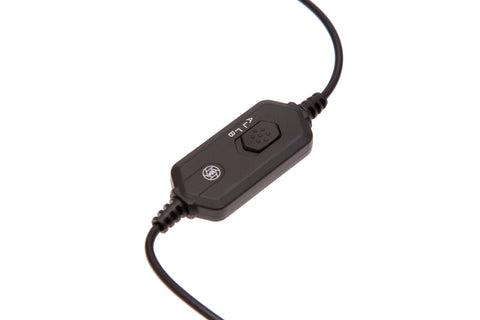 # Operating Modes This section describes Mode A and Mode B — two different recording behaviours that can be selected using the slider switch on the cable. # Mode A Camera is woken, records for **15 seconds** then automatically returns to the powered-down state. Recording time is extended by a further **15 seconds** if there are additional **full-press** signals during the recording period. #### **How It Works** The input from **full-press** starts the camera recording. Recording stops when **15 seconds** has elapsed since the last **full-press** occurred. #### **Multi-Sensor Camera Traps** **Mode A** can be used in a multi-sensor camera trap, where multiple Wireless PIR Sensors can be linked to a single camera to cover different approach paths. #### **Compatibility** For use with: - Camtraptions Wireless PIR Sensor v3 (purchased after 18th January 2021), using video programs **1**, **2** or **3** # Mode B **Full-press** starts recording, second **full-press** stops recording. #### **How It Works** The moment **full-press** is detected the camera is instructed to record. Recording stops only after **full-press** is released and a second **full-press** is detected.Note: This mode does not auto-power-off the camera after recording. Configure the camera itself to auto-power-off via its menu.
#### **Compatibility** For use with: - Camtraptions Wireless PIR Sensor v3 (purchased at any time), using video programs **4**, **5** or **6** - Camtraptions PIR Sensor v2 programs **14**, **16**, **18**, **20**, **22**, **24** - When manually triggering recordings using a wired or wireless shutter release